How to Make a Fire TV App with Claude
Set up a native Amazon Fire TV app by chatting with Claude: brand it from your website, connect your videos and check what the Amazon Appstore still needs.
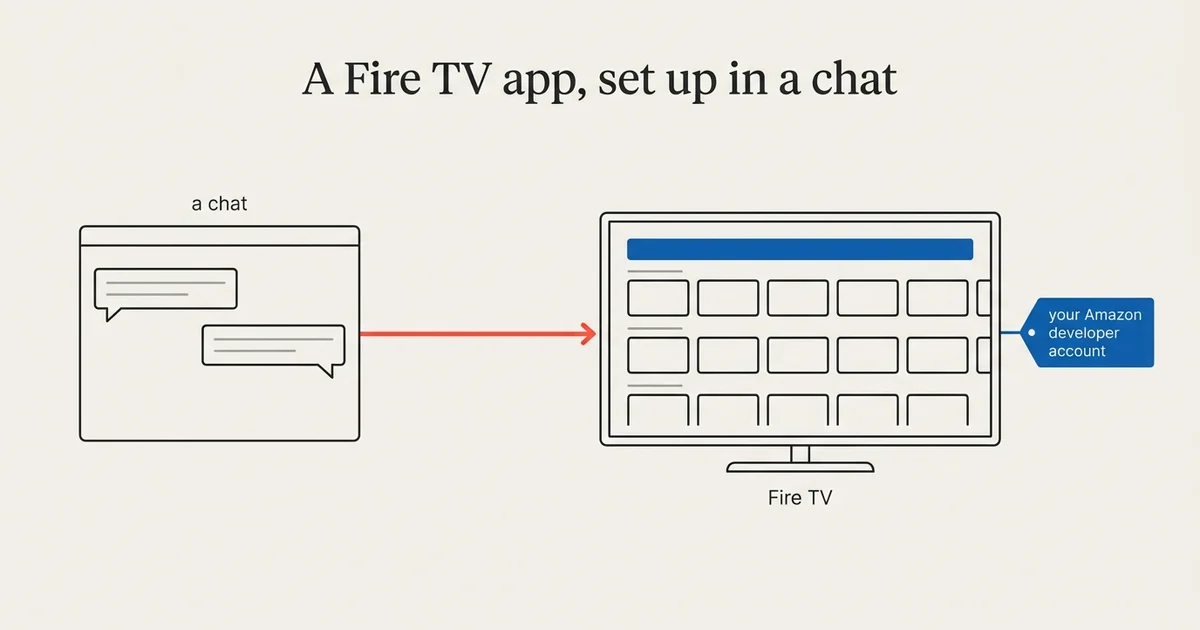
A Fire TV app reaches viewers on Amazon’s streaming sticks and TVs, and Claude can set most of it up with you. As of October 2026, you connect Claude to your Tappla account once, then brand the app from your website, connect your videos and ask what the Amazon Appstore still needs, in one conversation. Tappla builds and signs a native Fire TV app, and you publish it under your own free Amazon developer account.
This guide covers the Fire TV parts. The whole path for every platform is in How to make your own TV app with Claude. We build those apps at Tappla, so read it with that in mind.
How a Fire TV app reaches the store
A free Amazon developer account
You publish to the Amazon Appstore from your own Amazon developer account. It is free, with no yearly fee.
Delivered in your dashboard
We build, sign and package the app, and you download it with its store images from the Fire TV page in your dashboard. You publish it to the Amazon Appstore, and the listing is in your name.
Android TV from the same app
The Android TV app comes from the same code as the Fire TV app and is published on Google Play.
Step 1: Connect Claude
Open Tappla TV in Claude’s connector directory, click Connect, sign in to Tappla and click Allow. The steps are on our Claude page.
Step 2: Brand the app
Make my Fire TV app look like our website.
Claude reads your website and proposes the name, colors and logo, then saves what you approve in the chat to your Tappla app.
What Fire TV takes from the design
Like Roku, the Fire TV app draws its own dark home screen and uses the accent color and the background color from your Brand & Design settings. Claude suggests both from your website; the background it suggests is a dark shade, so the screen stays readable.
Step 3: Connect your videos
Here are three video links. Can they go on Fire TV?
Claude explains the steps for your host, checks a JSON feed (a link to a machine-readable list of your videos) before you save it, or writes a feed code, a text list of your videos, from single links to video files (ending in .m3u8 or .mp4). Fire TV plays both. You paste and save it in the dashboard.
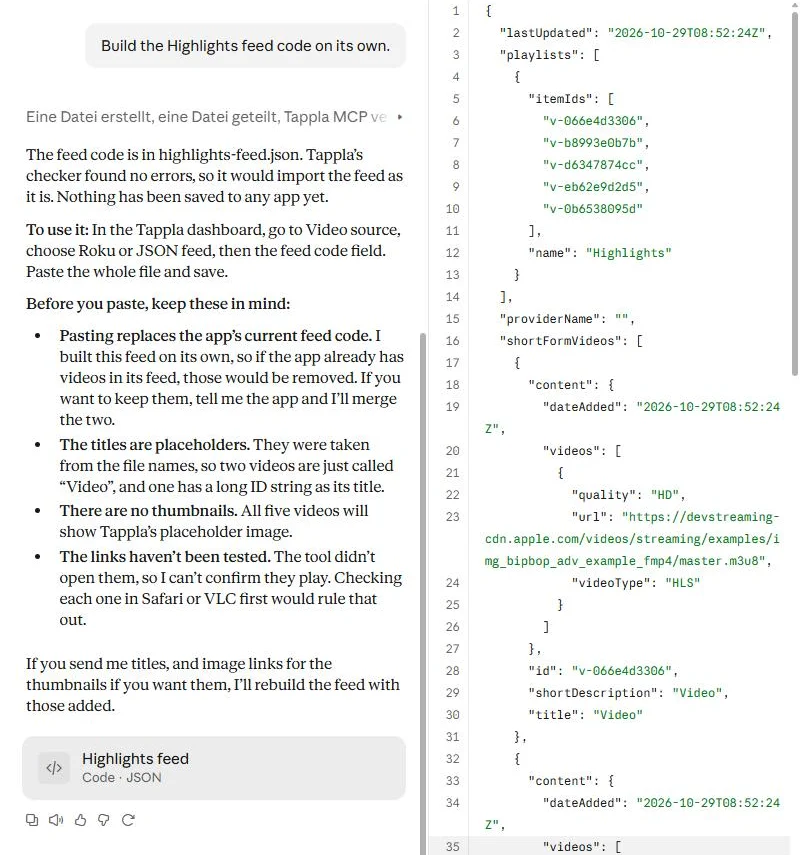
Five test stream links turned into a feed code. Nothing is saved to the app.
Step 4: Ask what the Appstore still needs
What do I still need before Fire TV can launch?
In our test, Claude listed two things for Fire TV:
- An Amazon developer account in your name, created at developer.amazon.com.
- The store images: logo and banner. Tappla makes them from a background image you add under Brand & Design.
Step 5: We build, you publish
Request the Fire TV build in the dashboard. You download the signed app from the Fire TV page in your dashboard and publish it to the Amazon Appstore. More: Fire TV app builder and How to build an Amazon Fire TV app without coding.
What Claude does not do on Fire TV
- It does not upload the app to Amazon or submit it.
- It does not change playlists, videos or the live stream.
- It never needs your Amazon or video-host password.
Summing it up
Claude handles the setup for Fire TV the same way as for the other platforms: your brand from your website, your videos explained and checked, and a list of what Amazon still needs. Amazon’s account is free, and the publishing stays with you.
Frequently asked questions
Can Claude make a Fire TV app?
Claude sets up and checks your Tappla app. Tappla builds and signs the native Fire TV app, and you publish it to the Amazon Appstore.
Do I need to pay Amazon?
No. The Amazon developer account is free.
Where do I get the finished app?
On the Fire TV page in your dashboard, with its store images, ready to publish.
Does Fire TV play MP4 links?
Yes. Fire TV plays both HLS (.m3u8) and MP4 links.
Is Android TV included?
The Android TV app comes from the same code and is published on Google Play.
Put your channel on the TV — in days.
Connect the video source you already run and ship native apps under your own accounts. From $49/month.