How to Make Your Own TV App with Claude (Apple TV, Roku & Fire TV)
Set up a TV app for Apple TV, Roku and Fire TV by chatting with Claude: brand it from your website, connect your videos, check it before launch.
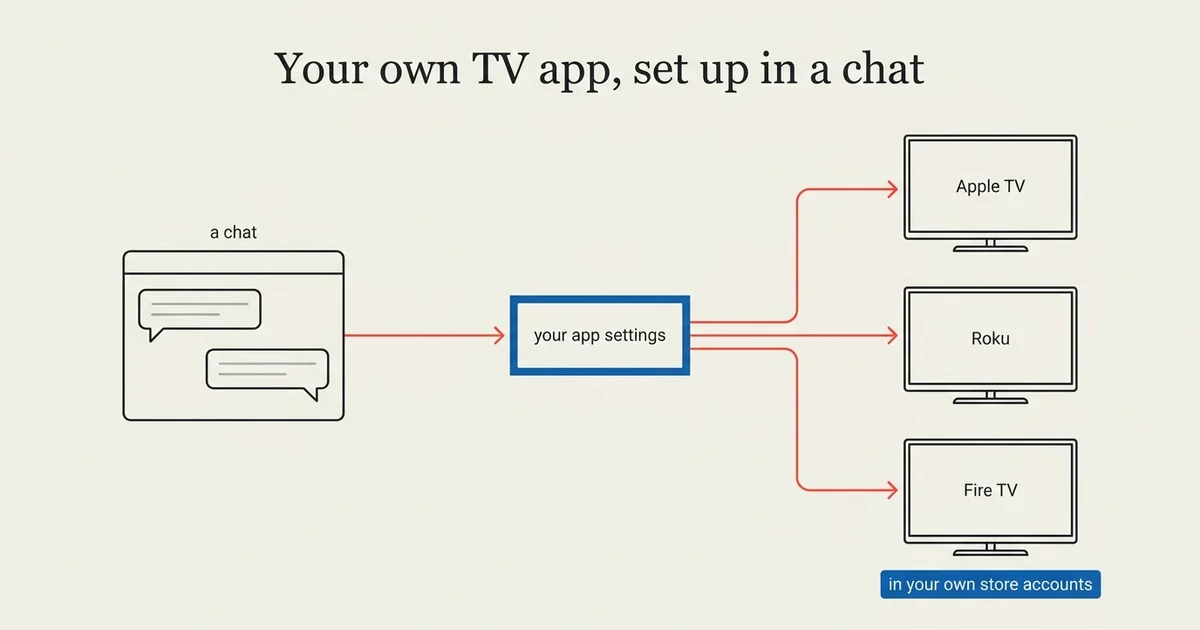
Claude can set up most of a TV app for you. As of October 2026, you can connect Claude to your Tappla account once and then, in one conversation, brand your Apple TV, Roku and Fire TV app from your website, connect your video library and find out what is still missing before launch. You approve each change, and the publishing steps stay with you.
This guide walks through the whole path, from an empty account to an app in the stores, and marks which steps happen in the chat and which in the dashboard. We build those apps at Tappla, so read it with that in mind.
What you need
A video library that is already online
Tappla reads the videos where they already are: Vimeo, BoxCast, Resi, StreamSpot, Bunny Stream, Viloud, Wowza, a JSON feed, or single stream links. Nothing is uploaded again. YouTube cannot be a source: if your videos are only on YouTube or Facebook, they need a host Tappla can read, such as Vimeo or BoxCast.
A Claude account
Any Claude account that can use connectors, the add-ons that let Claude work with other services. Tappla TV is one of them.
A Tappla account
The 14-day trial is enough to set everything up. After that, one Roku, Fire TV or Android TV app is $49 a month, Apple TV with iPhone $129, and all platforms $149 (pricing).
Developer accounts, later
You publish the apps under your own name, so each store needs your own developer account: Roku and Amazon are free, Apple costs $99 a year. You do not need them to start.
Step 1: Connect Claude to Tappla (once)
- Open Tappla TV in Claude’s connector directory.
- Click Connect.
- Sign in to Tappla and click Allow.
Allow lets Claude read the apps in your own account and change their look, and nothing else. It cannot see billing. You can disconnect it any time in the dashboard under My profile, Connected AI assistants.
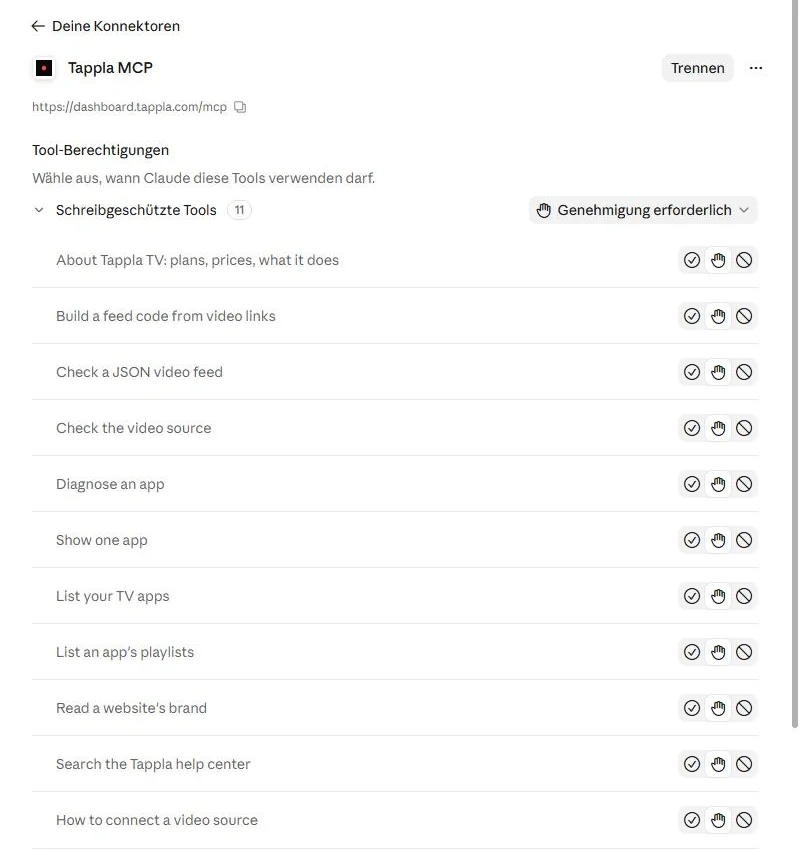
The Tappla connector in Claude’s settings. Our account runs Claude in German.
Step 2: Brand the app from your website (in the chat)
Ask Claude something like this:
Make my TV app look like gracechurch.org.
What happens
Claude reads your website and comes back with your name, the colors your site uses most and the logo files it found. Claude shows each change and saves it to your Tappla app only after you approve it in the chat. To make sure it always asks, set the Tappla TV tools to need approval in Claude’s connector settings. To see the whole proposal before anything is saved, say so: “Show me what you would change first.”
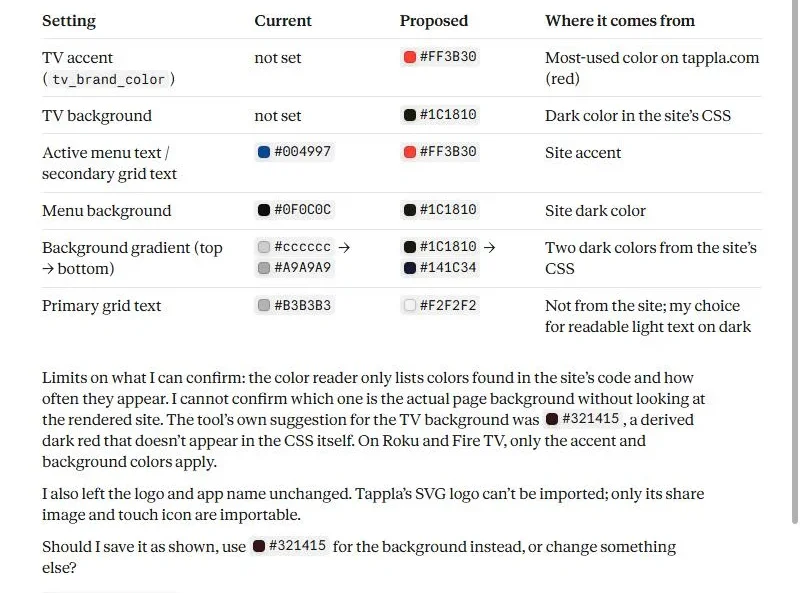
A real run on our test app, October 2026: Claude’s proposal, read from tappla.com. Nothing is saved yet.
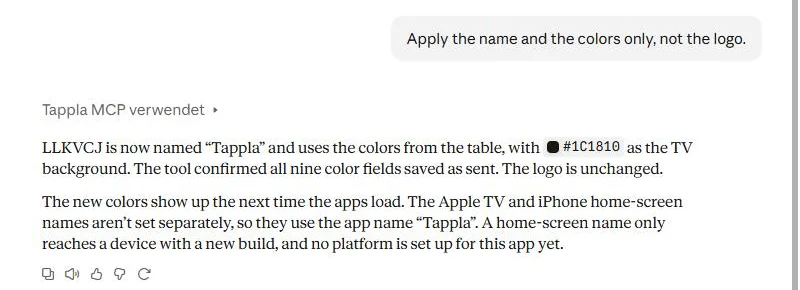
After approval: the saved change. We set the test app back afterwards.
What it can and cannot import
The apps need a logo as PNG or JPEG. Claude tells you when your website’s logo is an SVG it cannot use, and suggests another file from your site, such as the share image.
When you see it
Colors and the logo reach the apps the next time they load. The app icon and the name under the icon on Apple TV need a new build, which you request in the dashboard.
Step 3: Connect your videos (chat and dashboard)
Ask where to start
My videos are on Vimeo. How do I connect them?
Claude gives you the steps for your host and a link to the right page in the dashboard.
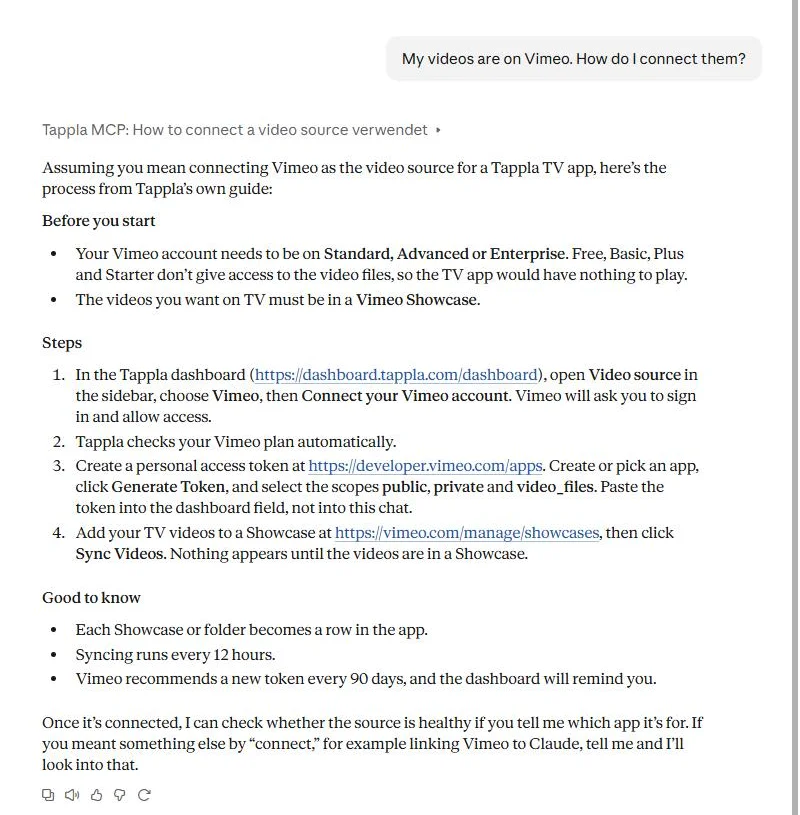
A real answer in Claude, from Tappla’s own guide for Vimeo.
Check a feed before you save it
If your platform gives you a JSON feed (a link to a machine-readable list of your videos), paste the link into the chat. Claude checks it the way the import does and explains each problem with a fix.
No feed? Use your video links
A handful of videos with direct stream links (links to the video file itself, ending in .m3u8 or .mp4) is enough. Claude turns them into a feed code, a text list of your videos that the app reads, and you paste it into the dashboard.
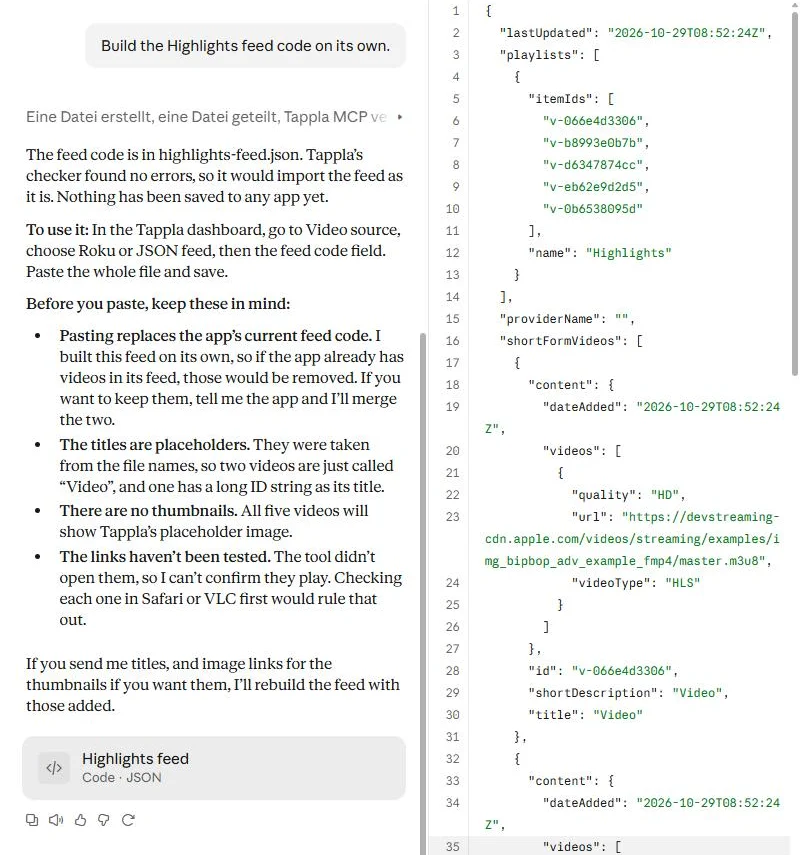
Five test stream links turned into a feed code. Nothing is saved to the app.
Why you save it yourself
The video source decides what every TV app shows. Claude can explain, check and write, but you save the source in the dashboard. Passwords and API keys go there too, never into the chat.
Step 4: Check the app before launch (in the chat)
Is my app ready for Roku?
Claude runs one check across your video source, the videos, the live stream and each platform’s launch steps, and answers in plain words. In our test with an app that had no videos yet, it named the two problems (“No JSON video feed saved”, “Your feed has 0 videos”) and listed what each store still needed: the developer account and the store images.
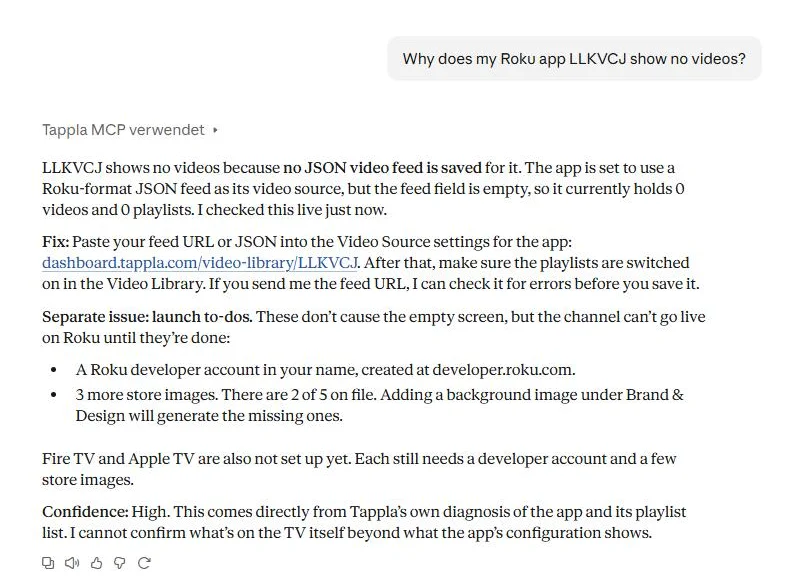
A real check on our test app, which has no feed yet.
Step 5: We build, you publish (dashboard and stores)
Request the build in the dashboard. We build and sign the apps, you submit them in your own developer accounts, so every listing is in your name and stays yours. Platform details: Roku, Apple TV, Fire TV, Android TV.
What Claude cannot change
| In the chat | In the dashboard | |
|---|---|---|
| App name, colors, logo, images | Yes | Yes |
| Apple TV home-screen name | Yes | Yes |
| Video source | Explains and checks | Saved here |
| Playlists and videos | Reads | Changed here |
| Live stream | Reads | Changed here |
| New build | No | Requested here |
| Store submission | No | In your own store accounts |
Things to ask Claude
- “Make my TV app look like our website.”
- “Why does my Roku app show no videos?”
- “Here are five video links. Make them a channel.”
- “What do I still need before Apple TV can launch?”
- “How much does Tappla cost for Roku and Apple TV?”
Who this is for
Churches, city and public-access channels, sports clubs and networks that already stream and have no developer. The chat replaces the clicking, not the decisions.
More in this series
One post a week takes a single step further, per platform, per kind of organization and per task. Live so far:
Summing it up
Claude handles the setup work: branding from your website, the steps for your video host, feed checks and a launch check. You keep the steps that change what viewers see and where the app is published. From there, an app on Apple TV, Roku and Fire TV is a build away.
Frequently asked questions
Can Claude build a TV app on its own?
No. Claude sets up and checks your Tappla app through a connector. Tappla builds and signs the apps, and you publish them in your own developer accounts.
Which Claude do I need?
Any Claude account that can use connectors. You add Tappla TV once from Claude’s connector directory.
Can Claude change my videos or playlists?
No. Playlists, videos, the video source and the live stream are read-only for Claude. You change them in the dashboard.
Do I have to give Claude my Vimeo password or API key?
No. Credentials go into the dashboard only. Claude explains where they go.
Can Claude see other people’s apps?
No. Claude only sees the apps in the Tappla account you signed in with.
Does it work for Roku, Apple TV and Fire TV?
Yes. Claude changes the app’s Brand & Design settings, which every platform reads. Roku and Fire TV use the accent and background colors from them.
Put your channel on the TV — in days.
Connect the video source you already run and ship native apps under your own accounts. From $49/month.