How to Make a Roku Channel with Claude
Set up your own Roku channel by chatting with Claude: brand it from your website, connect your videos, and find out what Roku still needs before launch.
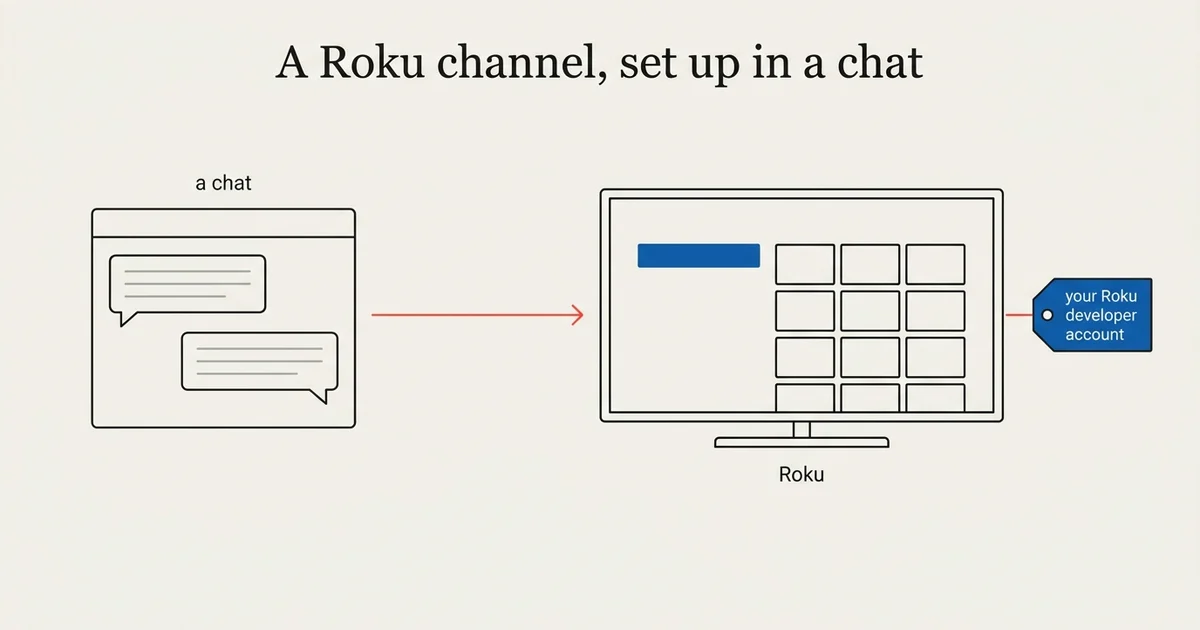
A Roku channel is the easiest TV app to start with, and Claude can do most of the setup with you. As of October 2026, you connect Claude to your Tappla account once, then brand the channel from your website, connect your videos and ask what Roku still needs, all in one conversation. Tappla packages a native Roku SDK channel (a real Roku app, built with Roku’s own developer kit), and you publish it under your own free Roku developer account.
This guide covers the Roku-specific parts. The whole path for every platform is in How to make your own TV app with Claude. We build those apps at Tappla, so read it with that in mind.
Why start with Roku
The account is free and quick
A Roku developer account costs nothing and takes about ten minutes to create. Apple takes days, so Roku is the fastest way to see your channel on a real TV.
It is a real SDK channel
Roku retired Direct Publisher in January 2024. What Tappla delivers is a native SDK channel, packaged for your own developer account, so the Channel Store listing is in your name.
Step 1: Connect Claude
Open Tappla TV in Claude’s connector directory, click Connect, sign in to Tappla and click Allow. The steps are on our Claude page.
Step 2: Brand the channel
Make my Roku channel look like our website.
Claude reads your website, suggests the name, an accent color and a logo, and saves them to your Tappla app once you approve them in the chat.
What Roku takes from the design
Roku draws its own dark home screen. From your Brand & Design settings it uses the accent color for highlights and the background color. Without an accent, the channel uses Tappla’s default blue; Claude points that out when it checks the app.
Step 3: Connect your videos
Our services are on Vimeo. How do I get them onto Roku?
Claude gives you the steps for your host and the link to the right dashboard page. If you only have a few direct links to video files (ending in .m3u8 or .mp4), it writes a feed code, a text list of your videos, from them that you paste in the dashboard. You save the source yourself; passwords and keys never go into the chat.
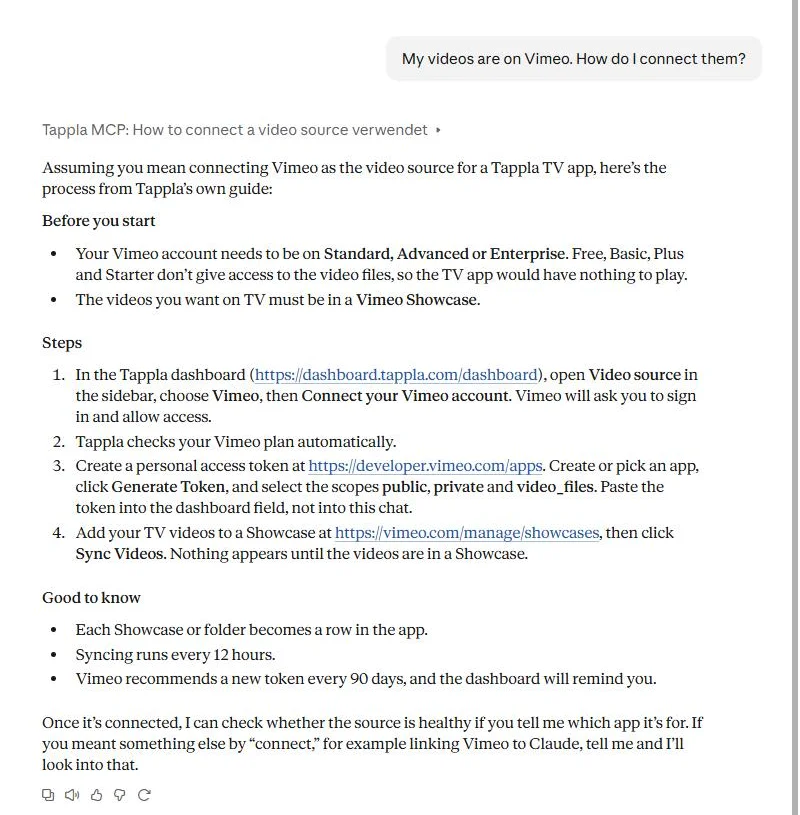
A real answer in Claude, from Tappla’s own guide for Vimeo.
Step 4: Ask what Roku still needs
What do I still need before Roku can launch?
In our test, Claude listed exactly two things for Roku:
- A Roku developer account in your name, created at developer.roku.com, because you publish the channel from it.
- The store images: channel posters and splash screens. Tappla makes them from a background image you add under Brand & Design, and Claude can add that image from a link.
It also flagged that the app had no videos yet, which would have stopped the channel from working at all.
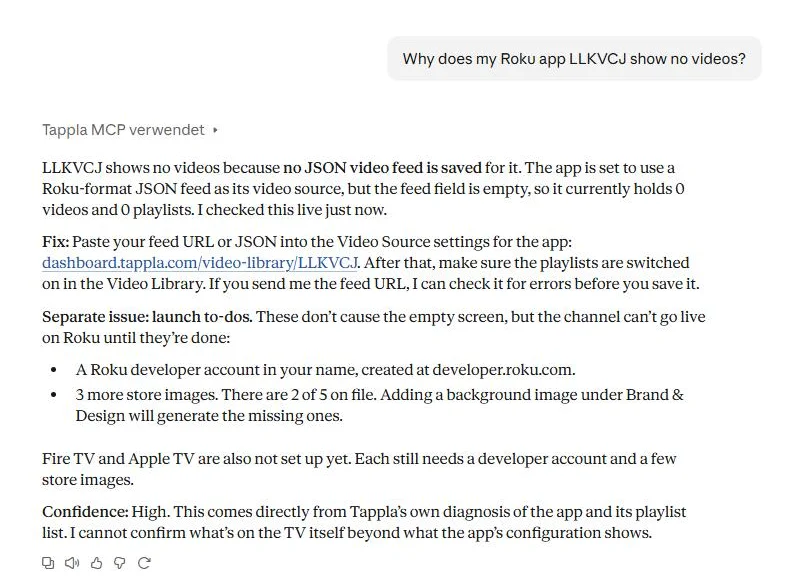
A real check on our test app: the empty feed first, then what Roku still needs.
Step 5: We package, you publish
Request the Roku build in the dashboard. We build, sign and send you the finished SDK channel package with its channel assets. You upload it to the Roku Channel Store from your own account. More on the channel itself: Roku channel builder.
What Claude does not do on Roku
- It does not upload the channel to Roku or submit it for review.
- It does not change playlists, videos or the live stream.
- It does not set up members-only playlists. You mark those in the dashboard.
Summing it up
With Claude, a Roku channel is a conversation and a few clicks: branding from your website, your video source explained and checked, and a clear list of what Roku still needs. The free developer account and the final upload stay with you.
Frequently asked questions
Can Claude make a Roku channel?
Claude sets up and checks your Tappla app, which becomes your Roku channel. Tappla packages the native channel, and you upload it to Roku from your own developer account.
Do I need a paid Roku account?
No. A Roku developer account is free.
Is this a Direct Publisher channel?
No. Roku retired Direct Publisher in January 2024. Tappla builds a native Roku SDK channel.
Which colors does Roku use from my design?
The accent color and the background color. Roku draws the rest of its home screen itself.
Can I have members-only videos on Roku?
Yes, for free memberships, such as a congregation or a team. Viewers type your access code on the TV with the remote, because Roku only allows sign-in on the device. Roku requires paid subscriptions to run through Roku Pay inside the app, so on Roku members-only is for free memberships. More: Members.
Can Claude upload my channel to the Roku Channel Store?
No. You upload it from your own Roku developer account, so the listing is yours.
Put your channel on the TV — in days.
Connect the video source you already run and ship native apps under your own accounts. From $49/month.